

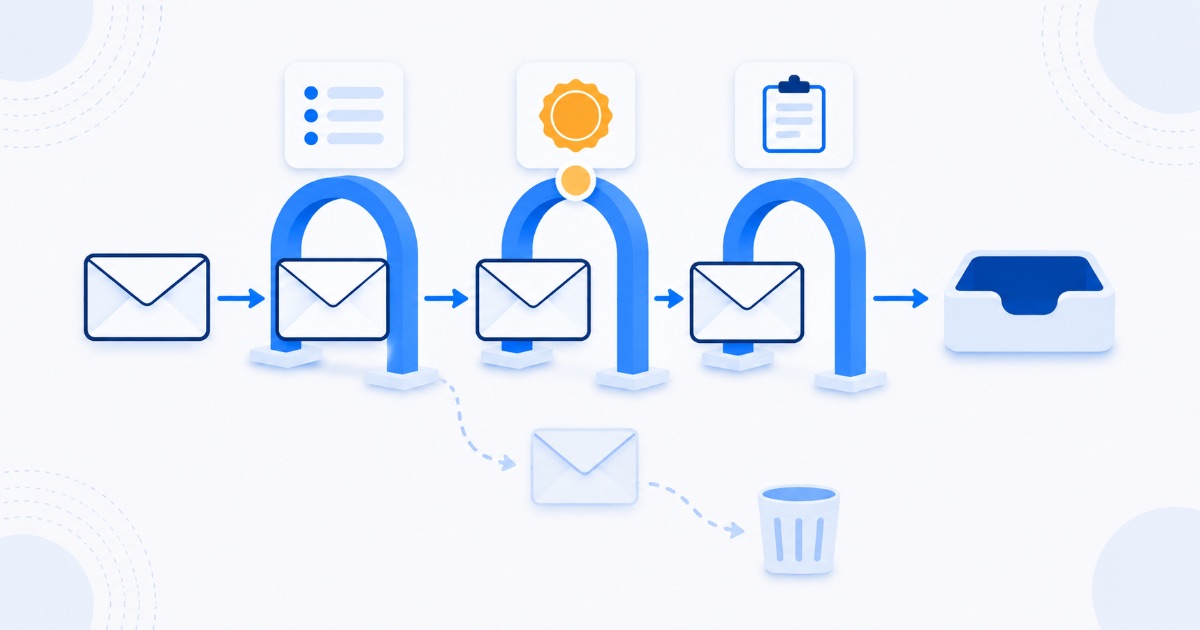
If your business emails keep landing in spam, the cause is usually authentication rather than anything you wrote. Three DNS records, SPF, DKIM, and DMARC, tell receiving servers that mail claiming to come from your domain genuinely does. Without them, providers have no way to distinguish your quote from someone impersonating you, so they err on the side of the junk folder. Setting all three up takes roughly twenty minutes with your domain provider, and it resolves the majority of deliverability problems small businesses experience. The remaining causes are reputation and content, in that order.
The three records, in plain language
Think of an email arriving at a border. Three documents get checked:
- SPF is the guest list. It publishes which mail servers are allowed to send on behalf of your domain. If a message arrives from a server not on the list, that is a strike against it.
- DKIM is the wax seal. Your server signs each message cryptographically, and the receiver verifies the signature against a public key in your DNS. A valid signature proves the message was not forged or altered in transit.
- DMARC is the instruction note. It tells receivers what to do when SPF or DKIM fails: monitor, quarantine, or reject. It also asks them to send you reports about who is sending mail as your domain, which is how you discover impersonation attempts.
All three are DNS records, meaning they live with whoever manages your domain rather than inside your email software. That split is precisely why they get skipped: the person setting up email and the person managing the domain are frequently not the same person, and each assumes the other did it.
Why this became urgent
Authentication used to be good practice. It is now closer to a requirement. Major providers, Google and Yahoo among them, introduced bulk sender rules in 2024 that expect proper authentication, easy one-click unsubscribe on marketing mail, and spam complaint rates kept very low. The direction of travel is clear: unauthenticated mail is treated with increasing suspicion regardless of volume, and small senders feel it too.
How to check what you have in five minutes
- Send a test message to a free mail-tester service and read the report. These tools tell you plainly whether SPF, DKIM, and DMARC passed, and usually point at the exact problem.
- Or inspect the headers manually. In Gmail, open a message you sent to yourself, choose Show original, and look for SPF, DKIM, and DMARC each marked PASS. Anything else needs attention.
- Check for duplicates. More than one SPF record on a domain causes failures, and it happens constantly when a new email or marketing platform is added by a different person.
Fixing it, in order
- Publish one SPF record listing every service that sends mail as your domain: your mail provider, your website's contact form, your invoicing tool, your newsletter platform. One record, all senders, no duplicates.
- Enable DKIM signing in your mail provider, then add the key it gives you to your DNS. Most providers walk you through this in a few clicks and it is the step most often left half-finished.
- Add a DMARC record starting in monitoring mode. Begin with a policy of none while collecting reports, so you can see who is sending as you before enforcing anything.
- Tighten DMARC gradually to quarantine and then reject once the reports show only legitimate senders. Enforcing too early can block your own invoices, which is a memorable way to learn this lesson.
- Repeat after any change of provider, especially during a website migration, since DNS changes are exactly when these records get lost, alongside the redirect problems covered in our guide to redesigning without losing your rankings.
Once authentication is clean: reputation
Providers score domains and sending IP addresses on behaviour over time. The things that damage that score are mostly avoidable:
- Sending to people who never asked. Purchased and scraped lists produce complaints and spam-trap hits, and both are severe.
- Sudden volume spikes. Going from ten messages a day to ten thousand looks exactly like a compromised account. Increase gradually.
- Ignoring bounces. Repeatedly mailing dead addresses signals a list nobody maintains. Remove hard bounces immediately.
- Making unsubscribing difficult. People who cannot unsubscribe press the spam button instead, which costs far more than the lost subscriber.
- Sending marketing from a free address such as a generic mailbox rather than your own domain, which removes the ability to build any reputation at all.
- Mixing transactional and marketing mail on one domain. Many businesses eventually send campaigns from a subdomain to protect the deliverability of invoices and password resets.
Last, and least: content
Content filtering matters less than most people assume, and the folklore around forbidden words is largely outdated. Modern filters weigh sender reputation and engagement far more heavily than vocabulary. Still, a few content habits genuinely hurt:
- Messages that are one large image with almost no text;
- Subject lines that misrepresent the content, which drives complaints;
- Link shorteners and links to domains with poor reputations;
- Attachments in first-contact emails, particularly executables and unexpected archives;
- Excessive punctuation and all-capitals subject lines, which read as spam to humans as well.
Write the message you would want to receive, from an authenticated domain with a decent reputation, and the filters generally leave you alone.
Frequently asked questions
Do I need DMARC if I have SPF and DKIM?
You should have all three. SPF and DKIM allow verification; DMARC tells receivers what to do when verification fails and gives you visibility into abuse of your domain. Increasingly, providers treat its absence as a signal in itself.
My emails reach Gmail but not Outlook. Why?
Providers weigh signals differently and maintain separate reputation systems. Differing outcomes usually point at reputation or authentication edge cases rather than content, so verify that all three records pass for the specific sending service involved.
Will changing these records break my website?
No. SPF, DKIM, and DMARC are TXT records that affect mail only, not your site. The genuine risk is enforcing a strict DMARC policy before your legitimate senders are all listed, which can block your own mail, so start in monitoring mode.
Does email deliverability affect SEO?
Not directly, though both come down to the same discipline: technical details on your domain that are invisible until they fail, then decisive. It is the same argument we make in our piece on why technical work comes first, applied to a different channel.
The bottom line
Most business email lands in spam for want of three DNS records that take one afternoon to configure properly. Test what you have, publish a single clean SPF record, finish the DKIM setup, add DMARC in monitoring mode and tighten it once the reports are clean. Then protect your reputation by only mailing people who want to hear from you. If you would like your domain checked properly, our free audit now includes an email authentication review alongside the search and AI visibility checks, because a domain that cannot be found and a domain that cannot be delivered are the same kind of problem.