

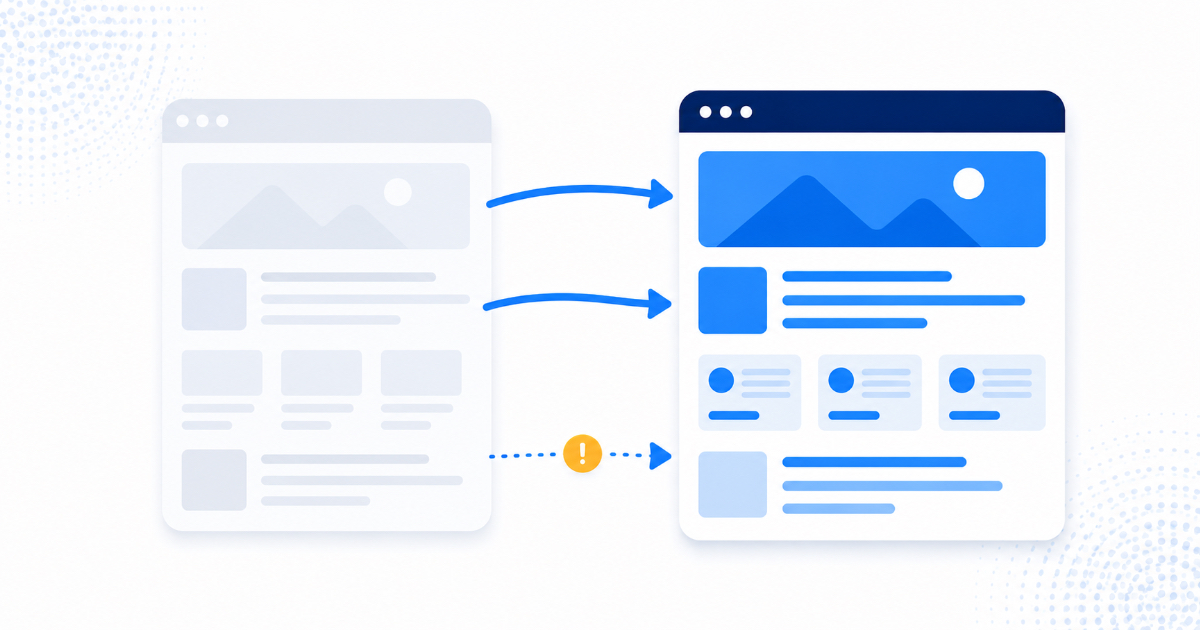
Most redesign disasters come from one thing: the new site uses different URLs and nobody redirected the old ones. Every ranking, every backlink, and every indexed page was attached to the old addresses, and without redirects they simply cease to exist. Add missing metadata, content trimmed for aesthetics, a staging site that shipped with its blocking tags intact, and a launch nobody monitored, and you have the complete anatomy of the traffic collapse that follows perhaps a third of redesigns. All five are preventable in a day of planning.
Why redesigns are so dangerous
Your rankings are not attached to your business or your brand. They are attached to specific URLs that Google has crawled, assessed, and trusted over time, along with every backlink pointing at those exact addresses. A redesign frequently changes those addresses, strips the content that earned the rankings, or rebuilds pages in a way crawlers read differently.
The cruel part is the delay. Traffic rarely collapses on launch day; it slides over the following two to six weeks as Google recrawls and finds nothing where your pages used to be. By then the agency has been paid and everyone assumes the new site is simply unlucky.
Before launch: the pre-flight checklist
1. Inventory everything first
Export a full list of your current URLs, plus your top pages by traffic from Search Console, plus every page with backlinks pointing to it. This inventory is the single most valuable document in the project, because you cannot redirect or preserve what you never listed. Do it before design work starts, not after.
2. Map old URLs to new ones, one by one
Every old URL needs a destination: the equivalent new page, or the closest relevant alternative. Two rules save most of the damage: use permanent 301 redirects rather than temporary ones, and never redirect everything to the homepage in bulk, because Google treats mass homepage redirects as soft 404s and the value evaporates.
3. Keep the content that earned the rankings
Designers reduce word counts for visual balance, and that is often where the rankings went. If a page ranks because it thoroughly answers a question, and the redesign cuts it to three sentences and a hero image, the ranking follows the content out the door. Decide consciously which pages are traffic assets and protect their substance.
4. Carry over the technical furniture
Title tags, meta descriptions, heading structure, image alt text, canonical tags, structured data, and internal links all need to arrive on the new site intact. These are invisible in a design review and decisive in a crawl, which is why they get forgotten. Our guide to why technical SEO comes first covers what each one does.
5. Check the staging site is not shipping its blockers
Staging environments are deliberately hidden from search with noindex tags and robots.txt disallows. When the site goes live and those settings travel with it, the entire new website is invisible, which is cause two and three in our guide to why a website does not appear on Google. Check the live source code within an hour of launch, every time.
Launch day and the first month
- Crawl the new site immediately and look for broken links, redirect chains, missing titles, and pages returning error codes.
- Test a sample of old URLs by hand. Take twenty of your best-performing old addresses, paste them into a browser, and confirm each lands on the right new page in one hop.
- Submit the new sitemap in Search Console and watch the Pages report daily for a fortnight.
- Keep the old analytics and Search Console properties so you can compare like with like rather than starting from a blank slate.
- Expect a small dip. A brief wobble while Google reprocesses is normal even on a perfect migration. A steady slide over weeks is not.
If it already happened: the rescue plan
Work in this order, because the causes have wildly different fixes:
- Confirm indexing first. Search site:yourdomain.com. If almost nothing appears, you have a blocking problem, not a ranking problem, and it is usually fixed in minutes.
- Find the missing redirects. Compare your old URL inventory against the live site. If you never made an inventory, Search Console's older data, your analytics history, and backlink tools can reconstruct most of it.
- Restore the substance on pages whose content was cut, using archived copies if the originals are gone.
- Rebuild the technical furniture that did not carry across, starting with titles and internal links on your highest-value pages.
- Then wait properly. Recovery after correcting redirects typically takes weeks, not days, because Google has to recrawl and reassess. Resist the temptation to keep changing things, which only makes the cause and effect unreadable, as covered in our guide to diagnosing a traffic drop.
Most redesign losses are recoverable if the redirects go in within the first few months. Beyond that, some link equity fades permanently as the linking pages themselves change or disappear, which is why speed matters more than perfection here.
Frequently asked questions
Do I need to change my URLs at all?
Usually not. Keeping your existing URL structure removes the largest single risk in any redesign, and "we wanted cleaner URLs" is rarely worth the exposure unless the current structure is genuinely broken. When in doubt, redesign the pages and leave the addresses alone.
How long should redirects stay in place?
Permanently, in practice. Google consolidates signals within months, but old links, bookmarks, and citations keep sending people for years, and a redirect costs you nothing to keep.
Will a new design alone hurt my rankings?
Not if the URLs, content, and technical elements survive. Google ranks what a page says and how accessible it is, not how it looks, though a design that buries content in scripts or slows the site can hurt indirectly.
Should I launch a redesign and a rebrand at the same time?
If you can separate them, do. Changing domains, URLs, content, and design simultaneously means that when something goes wrong, you have no way to identify which change caused it. Sequence them a month apart and each becomes diagnosable.
The bottom line
A redesign is a technical migration wearing a creative brief. Inventory your URLs, map every redirect, protect the content that earns your traffic, carry the invisible elements across, and check the live site within the hour. That is a day of work that routinely saves years of accumulated visibility. If you have a redesign coming, or you have just launched one and the graph looks wrong, our free SEO and AEO audit includes a migration review: what moved, what broke, and what to fix first.