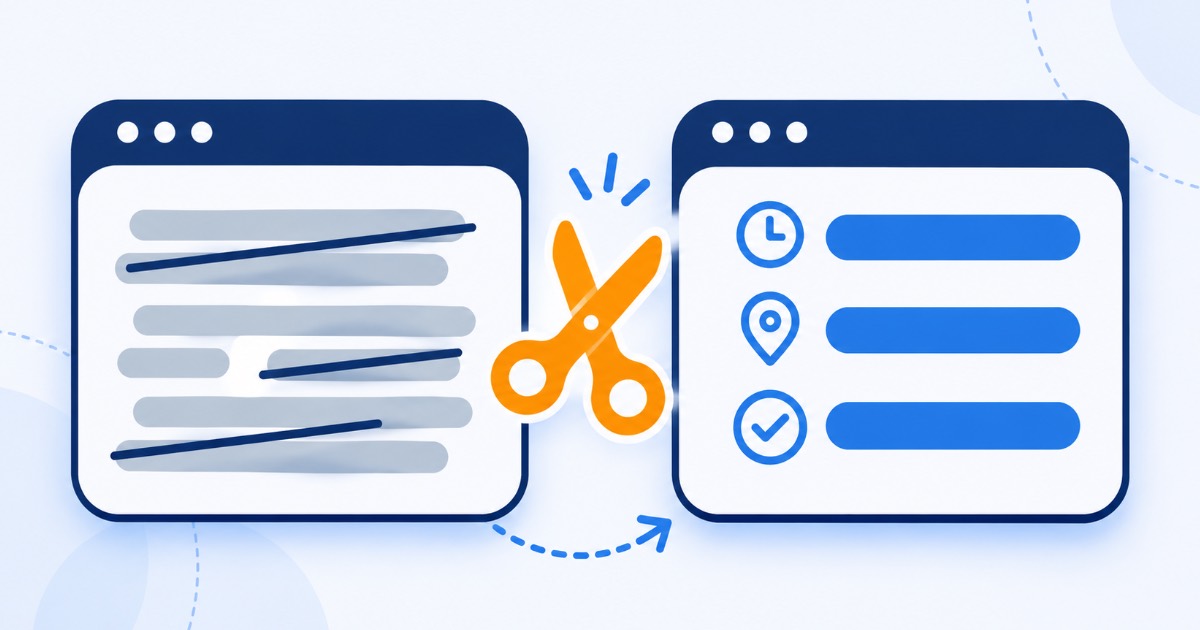


It sounds backwards, but one of the most effective ways to strengthen a website is to remove pages from it. Over the years, most business sites collect old announcements, thin service pages, duplicate blog posts, and pages with prices nobody charges any more. That clutter makes it harder for visitors to find what matters, harder for search engines to understand what you do best, and easier for AI assistants to repeat outdated information about you. A careful clean-up can make everything that remains work harder. Here is how to do it safely.
Why too many pages can hold you back
- Weak pages dilute strong ones. When ten thin pages cover roughly the same topic, none of them stands out. One excellent page usually does better than ten average ones.
- Outdated pages spread wrong information. Old prices, old opening hours, and discontinued services do not just confuse visitors. AI assistants can pick them up and repeat them, one of the causes we covered in fixing wrong AI information about your business.
- Search engines spend time on the wrong pages. Every visit to a page nobody needs is a visit not spent on the pages that matter. Low-value pages are also a common reason for important pages not being indexed, as explained in why your content is not indexed.
- Visitors get lost. A site search that returns six versions of the same topic, half of them out of date, makes your business look disorganised.
The 5-step content audit
Step 1: Back everything up
Before you change anything, take a full backup of your website. Deleting is easy. Undoing a mistake without a backup is not.
Step 2: List every page
Export a list of all your pages from your website platform or your sitemap into a spreadsheet. Most small business sites have more pages than their owners expect, especially old blog posts, tag pages, and forgotten landing pages.
Step 3: Add four facts for each page
- Visits over the last 12 months, from your analytics.
- Links from other websites pointing to it, if you can check them. Pages with links carry value worth protecting, as we explain in what backlinks are.
- Results, such as enquiries, sales, or sign-ups that started on that page.
- Accuracy: is everything on it still true today?
Step 4: Give every page one of four decisions
| Decision | When to use it | What to do |
|---|---|---|
| Keep | Accurate, useful, getting visits or results | Leave it, and check it again next year |
| Improve | Useful topic, but thin or out of date | Update facts, add depth, refresh photos and dates |
| Merge | Several pages covering the same topic | Combine the best parts into one strong page, then redirect the others to it |
| Remove | No visits, no links, no results, and no realistic future value | Delete it and redirect it to the closest relevant page |
When in doubt, choose Improve or Merge rather than Remove. Most pages have something worth saving.
Step 5: Make the changes in small batches
Work through ten or twenty pages at a time, then wait a few weeks and check your visits before doing more. Small batches make it easy to spot and reverse anything that goes wrong.
How to remove a page without losing anyone
- Redirect it. Set up a permanent redirect from the old address to the most relevant remaining page. Anyone following an old link, and any search engine, lands somewhere useful instead of an error page.
- Redirect to something relevant. Sending everything to your homepage is a lazy shortcut that confuses visitors. An old post about kitchen tiles should point to your current kitchen page, not your front door.
- Update your internal links. Find any links on your own site that point to the removed page and change them to the new destination.
- Update your sitemap. Make sure removed pages no longer appear in it.
- Only let a page disappear completely when there is genuinely nothing relevant to redirect to, and it has no links or visits worth keeping.
These are the same steps that protect your visibility during a bigger change, covered in detail in our guide to a website redesign without losing rankings.
Pages you should never delete
- Pages with links from other websites, even if they get few visits. Merge or redirect them instead.
- Pages that still bring enquiries or sales, however old or plain they look.
- Legal and policy pages, such as privacy, terms, and refund policies.
- Permanent seasonal pages. A Black Friday or holiday page that you update every year should stay live all year, as we explained in our Black Friday visibility plan.
- Your best-performing posts, even if the topic feels old to you. If people still read them, refresh them instead.
Make it a habit, not a one-off
A once-a-year review stops clutter from building up again. Our 12-month visibility calendar sets aside August for exactly this: refreshing what you already have instead of only adding more. While you are at it, tighten any vague wording you find, using our list of 40 words that make customers tune out.
Frequently asked questions
Should I delete old blog posts?
Only the ones that have no visits, no links from other sites, no results, and no realistic way to become useful. Many old posts are better improved or merged into a stronger page. Always redirect a deleted post to the most relevant page that remains.
Will deleting pages increase my traffic?
It can, but it is not guaranteed. Removing or merging weak pages often helps your best pages stand out and makes your site easier to understand. The benefit depends on how much low-value content you had and how carefully you remove it. Work in small batches and measure as you go.
What is content pruning?
Content pruning is the process of reviewing every page on your website and deciding whether to keep, improve, merge, or remove it. The goal is a smaller, stronger, more accurate site that serves visitors, search engines, and AI assistants better.
Is it bad to have too many pages on a website?
Not in itself. Large sites with many genuinely useful pages do well. The problem is pages that are thin, duplicated, outdated, or unvisited. Quality and accuracy matter far more than page count.
How often should I review my website content?
Once a year is a good rhythm for most small businesses, with a quick check of key pages whenever your prices, services, or opening hours change.
The bottom line
More pages do not mean more visibility. Accurate, useful, focused pages do. Back up your site, list every page, and give each one a decision: keep, improve, merge, or remove. Redirect carefully, work in small batches, and you may find that a smaller website is a far more visible one.
Not sure which of your pages are helping and which are holding you back? Our free SEO and AEO audit scans your website and shows the issues affecting how search engines and AI assistants see it, so you know where to start.